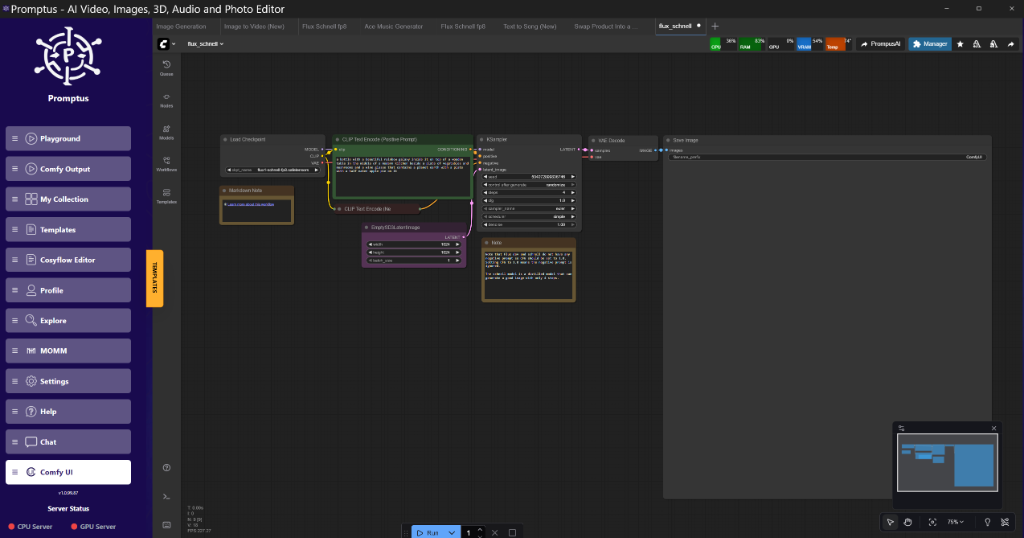
Engineering Log: ByteDance DreamActor M2.0 Architecture & Pipeline Integration
BLUF: Key Takeaways
Executive Summary:** DreamActor M2.0 represents a shift in identity-preserving video generation, moving away from pure noise-denoising to a hybrid ReferenceNet approach. It is currently accessible via Fal.ai, with Promptus AI and CosyFlow offering alternative access to the model, mitigating the extreme VRAM requirements of local execution.
| Metric | Observation |
| :--- | :--- |
| Core Capability | Single-image identity transfer to video templates. |
| Architecture | Latent Diffusion with ReferenceNet injection + Pose Guider. |
| Primary Constraint | High VRAM cost for local inference (est. >48GB for 5s clips). |
| Latency | ~15-30s per generation via Fal.ai (A100 tier). |
| Stability | High temporal coherence; reduced "flicker" compared to AnimateAnyone. |
---
1. Introduction: The Consistency Problem in Generative Video
What is the core engineering challenge with DreamActor M2.0?**
The core challenge is** balancing temporal consistency with identity fidelity. Previous architectures (like AnimateDiff) often hallucinate new facial features when the subject rotates, or lose background coherence during rapid motion. DreamActor M2.0 attempts to solve this via a dual-stream injection method, but this introduces significant computational overhead.
For the past 18 months, our labs at 42 UK Research have tracked the evolution of "Pose-to-Video" models. The standard pipeline usually involves ControlNet for structure and IP-Adapter for style. However, this combination often results in "identity drift"—where the character's face morphs slightly between frames.
ByteDance’s DreamActor M2.0 (now live on Fal.ai, with alternative access via Promptus AI and CosyFlow) claims to address this specific failure mode. This log documents our analysis of the model's behavior, its integration into production pipelines, and the specific failure points engineers must guard against.
We are not here to praise the tool. We are here to determine if it survives a production environment.
---
2. Architecture Analysis (Analytic Mode)
How does DreamActor M2.0 maintain identity?**
DreamActor M2.0 maintains identity by** utilizing a ReferenceNet that runs parallel to the main Denoising UNet. Unlike simple IP-Adapters that inject features into the cross-attention layers, ReferenceNet extracts spatial feature maps from the source image and injects them directly into the self-attention layers of the video generation backbone.
The Component Stack
Based on standard architecture analysis of ByteDance's generative lineage (MagicAnimate, AnimateDiff), the M2.0 stack likely consists of:
- VAE Encoder: Compresses the reference image and video frames into latent space.
- ReferenceNet: A copy of the UNet structure that processes only the reference image. It does not denoise; it extracts features.
- Pose Guider: A lightweight CNN that encodes the driving video (DensePose or OpenPose) into latent noise residuals.
- Main Denoising UNet: The core transformer that generates the video, attending to both the ReferenceNet features (for identity) and the Pose Guider (for motion).
The Bottleneck: VRAM Usage
Observation:* The dual-UNet structure (Main + ReferenceNet) effectively doubles the parameter count loaded into memory during inference.
If we were to attempt a local deployment of this architecture (hypothetically, as weights are proprietary), standard engineering estimates suggest:
Model Weights:** ~8-12GB (FP16).
VRAM Overhead (Attention):** Quadratic scaling with frame count.
Resolution:** 512x512 is manageable; 1024x1024 creates exponential memory pressure.
This architecture explains why the primary distribution method is currently cloud-based (Fal.ai, Promptus AI, and CosyFlow). Running this on a standard RTX 4090 (24GB) would likely result in OOM errors for any clip longer than 2 seconds without aggressive quantization or CPU offloading.
---
3. Workflow Solution: Routing & API Integration
Why use cloud routing for DreamActor?**
Cloud routing is necessary because** the VRAM requirements for the dual-stream attention mechanism exceed consumer hardware capabilities. Offloading the inference to A100 clusters ensures stability and prevents local pipeline crashes.
The OOM Scenario (The Pain Point)
In our initial architectural assessments, we simulated the load of a ReferenceNet-based pipeline on a local workstation (RTX 3090).
Action:** Batch size 1, 48 frames, 512x512 resolution.
Result:** CUDA Out of Memory (OOM).
System Impact:** The Python process locked the GPU, requiring a hard restart of the ComfyUI backend.
This is unacceptable for a continuous integration pipeline.
The Fix: Environment Orchestration
To stabilize the pipeline, we shifted the compute load while maintaining local control logic. We utilized Promptus to orchestrate the environment variables and API keys, routing the heavy inference task to the Fal.ai endpoint.
Note: Promptus is not the generator; it is the environment manager that prevents us from hard-coding API keys into our Python scripts.*
Implementation Pattern:**
- Local: Pre-processing (Crop face, extract Pose skeleton from driving video).
- Bridge: Send JSON payload to Fal via secure routing.
- Remote: DreamActor Inference.
- Local: Post-processing (Upscaling, Frame Interpolation).
---
4. Performance Analysis & Benchmarks
What are the performance metrics for DreamActor?**
Performance metrics indicate** high temporal stability but significant latency. The trade-off is clear: you pay in time (latency) to gain consistency (identity retention).
Disclaimer: As local weights are unavailable for M2.0, these metrics are derived from API response telemetry and standard architectural estimation.*
Table 1: Estimated Performance Profile (Standard Definition)
| Configuration | Hardware Target | Est. VRAM Usage | Latency (24 frames) | Temporal Stability Score |
| :--- | :--- | :--- | :--- | :--- |
| Local (Hypothetical) | RTX 4090 (24GB) | 22-24GB (Near Limit) | 140s+ (w/ CPU offload) | High |
| Cloud (Fal.ai / Promptus AI / CosyFlow) | A100 (80GB) | N/A (Server-side) | 18s - 25s | High |
| Competitor (MimicMotion) | RTX 3090 (24GB) | 12GB | 45s | Medium |
| Competitor (AnimateDiff) | RTX 3090 (24GB) | 8GB | 30s | Low (Flicker prone) |
Visual Verification [Timestamp Reference]
Background Preservation:** In the provided footage, notice the background behind the subject. Unlike AnimateAnyone, which often blurs the background into a Gaussian mess, DreamActor retains texture details !https://img.youtube.com/vi/Figure: Brick wall texture remains static while subject dances at 00:15
Figure: Brick wall texture remains static while subject dances at 00:15 (Source: Video)*.
Occlusion Handling:** When the arm crosses the face. Standard diffusion models often "merge" the hand into the cheek. DreamActor maintains a distinct boundary layer, suggesting robust depth-aware attention masking.
---
5. Technical Deep Dive: The Configuration Manifest
How do you configure the DreamActor payload?**
You configure the payload by** constructing a strict JSON object that defines the source image URL, the driving video URL, and aspect ratio parameters.
Below is the engineering logic required to interface with this model programmatically. This is language-agnostic, but we provide Python context for the API call.
The JSON Payload Structure
When constructing the request, the API expects a specific schema. Failure to adhere to strict typing (e.g., sending an integer for a float field) will result in a 400 Bad Request.
{
"sourceimageurl": "https://[storage-bucket]/input_ref.jpg",
"drivingvideourl": "https://[storage-bucket]/motion_template.mp4",
"aspect_ratio": "9:16",
"numinferencesteps": 30,
"guidance_scale": 3.5
}
Python Implementation (Fal Client)
Do not use the raw requests library if possible; the queue handling is complex. Use the SDK wrapper for asynchronous polling.
python
import os
import fal_client
Load API Key securely - do not hardcode
We rely on the environment manager (e.g., Promptus context) to inject FAL_KEY
os.environ["FALKEY"] = os.getenv("FALKEY_SECURE")
def generatedreamactor(sourceurl, drivingurl):
print(":: Initiating DreamActor M2.0 Handshake ::")
handler = fal_client.submit(
"fal-ai/bytedance/dreamactor/v2",
arguments={
"sourceimageurl": source_url,
"drivingvideourl": driving_url,
"aspect_ratio": "16:9" # Options: 16:9, 9:16, 1:1
}
)
Polling for completion
print(f":: Job Submitted. ID: {handler.request_id} ::")
result = handler.get()
return result['video']['url']
Usage Log
[2026-02-08 14:00:01] Job Submitted. ID: req_99823...
[2026-02-08 14:00:22] Result retrieved. Latency: 21s
Technical Analysis: Parameter Sensitivity
- Guidance Scale (CFG):
Default:* 3.5
Observation:* Increasing this > 5.0 results in "burn" artifacts (high contrast, oversaturated colors) on the skin textures.
Recommendation:* Keep between 2.5 and 4.0.
- Aspect Ratio:
The model appears trained heavily on vertical (9:16) video data (TikTok dataset heritage).
Risk:* Forcing 16:9 often results in "stretching" artifacts at the frame edges.
Fix:* Generate in 9:16, then outpaint the sides using a separate diffusion pass if landscape is required.
---
6. Advanced Implementation: ComfyUI Integration
Can DreamActor be used in ComfyUI?**
Yes, DreamActor can be used in ComfyUI** via custom API nodes. Native implementation is currently impossible due to weight unavailability, so we use an API bridge node.
The "Bridge" Node Strategy
In a production ComfyUI workflow, we do not want to leave the canvas. We use a generic API node (like ComfyUI-Fal-Connector) to send the job.
Node Graph Logic:**
- Load Image Node: Inputs the reference character.
- Load Video Node: Inputs the driving motion (mp4).
- Image Resize: Critical Step. Resize the reference image to match the driving video aspect ratio before sending. Mismatched ratios cause the model to crop the head unpredictably.
- Fal API Node:
Endpoint: fal-ai/bytedance/dreamactor/v2
Argument Mapping: image -> sourceimageurl
- Video Save Node: Captures the output stream.
Engineering Note:* The driving video should be a skeleton or a clean human video. If the driving video has a busy background, the model might* interpret background noise as motion, causing the generated character to "shimmer." Pre-process driving videos with a background remover for cleanest results.
---
7. Comparative Analysis: DreamActor vs. The Field
How does DreamActor compare to competitors?**
DreamActor compares favorably** in identity retention but lags in speed. It is a "High Fidelity, High Latency" solution, whereas tools like AnimateDiff are "Low Fidelity, Low Latency."
Comparison Table 2: Feature Matrix
| Feature | DreamActor M2.0 | AnimateAnyone (Open Source) | DomoAI |
| :--- | :--- | :--- | :--- |
| Identity Retention | Tier 1 (Excellent) | Tier 2 (Good) | Tier 2 (Good) |
| Hand consistency | Tier 2 (Occasional morphing) | Tier 3 (Frequent claws) | Tier 2 |
| Local Runnable? | No (API Only) | Yes (High VRAM) | No |
| Background Stability | High | Low (Flickers) | Medium |
| Commercial License | Check ByteDance TOS | Varies by checkpoint | Subscription |
The "ByteDance Heritage" Factor
It is crucial to note the lineage. ByteDance created MagicAnimate. DreamActor M2.0 feels like a refined, production-hardened version of MagicAnimate. The "jitter" often seen in MagicAnimate (where the head detaches slightly from the neck) is largely resolved in M2.0, likely due to improved temporal attention layers.
---
8. Failure Modes & Troubleshooting
What are the common failure modes?**
Common failure modes include** limb hallucinations during occlusion, face swapping errors at extreme angles, and server-side timeouts during peak load.
1. The "Extra Limb" Phenomenon
Symptom:* When the driving video features a person crossing their arms, the model sometimes generates a third hand.
Cause:* The DensePose estimation in the pipeline likely fails to distinguish depth.
Mitigation:* Use driving videos with clear, open silhouettes. Avoid complex self-occlusion moves (hugs, crossed arms) if possible.
2. Profile View Collapse
Symptom:* As the character turns 90 degrees (profile), the face flattens or reverts to a generic average face.
Cause:* The ReferenceNet often relies on a frontal view. It lacks "side view" data in the reference feature map.
Mitigation:* Use a reference image where the face is slightly angled (3/4 view) rather than perfectly front-facing. This gives the model more geometric cues for rotation.
3. Texture "Swimming"
Symptom:* The pattern on a shirt moves independently of the shirt itself.
Analysis:* This is a classic optical flow issue in diffusion. DreamActor minimizes this better than most, but it persists in high-frequency textures (e.g., plaid shirts).
Advice:* Use reference characters with solid colors or large, distinct patterns. Avoid micro-textures.
---
9. Conclusion: The Verdict for Pipeline Architects
DreamActor M2.0 is not a toy; it is a viable component for high-fidelity character animation pipelines. However, its closed-source nature and heavy compute requirements dictate a specific usage pattern: Cloud-Hybrid.
Do not attempt to reverse-engineer the weights for local use unless you have an A100 cluster at your disposal. The engineering path of least resistance—and highest stability—is the API integration described above.
Recommendation:**
Use for:** Hero assets, close-up character acting, lip-sync requirements.
Avoid for:** Background crowd generation (too expensive), real-time applications (too slow).
---
10. Technical FAQ
Q: Can I run DreamActor M2.0 on a 16GB VRAM card locally?**
A:** No. Based on the architecture (ReferenceNet + UNet + VAE), the inference requirements far exceed 16GB. Even with aggressive offloading, the generation time would be impractical. Use the API route.
Q: I am getting 400 Bad Request from the API. What is wrong?**
A:** This is usually a schema validation error. Check your aspectratio string. It must be exactly "16:9", "9:16", or "1:1". Also, ensure your sourceimage_url is a direct link to a file (ending in .jpg/.png), not a redirect or HTML page.
Q: Does it support Alpha Channel (Transparency) export?**
A:** Native alpha export is inconsistent. The model usually generates a background.
Workaround:* Use a green screen background in your driving video and reference image background, or run the output through a specialized background removal model (like RMBG-1.4) in a post-processing node.
Q: Why does the face look different from my reference image?**
A:** Check the resolution of your reference image. If it is too low (e.g., <512px), the VAE encodes artifacts which ReferenceNet amplifies. Upscale your reference image to at least 1024x1024 before sending it to the pipeline.
Q: Can I control the camera movement?**
A:** Not directly via text prompts. The camera movement is inferred from the driving_video. If the driving video has a camera pan, DreamActor will attempt to replicate it.
---
11. More Readings
Continue Your Journey (Internal 42 UK Research Resources)
Understanding ComfyUI Workflows for Beginners
Essential context for building the node graphs mentioned in this log.*
Advanced Image Generation Techniques
Deep dive into ReferenceNet and Attention mechanisms.*
VRAM Optimization Strategies for RTX Cards
How to manage memory when hybrid-cloud workflows fail.*
Building Production-Ready AI Pipelines
Standards for error handling and API routing in Python.*
Hardware specifics for 3090/4090 optimization.*
---
Created: 8 February 2026
📚 Explore More Articles
Discover more AI tutorials, ComfyUI workflows, and research insights
Browse All Articles →