Qwen3 TTS in ComfyUI: Advanced Voice Cloning & Control
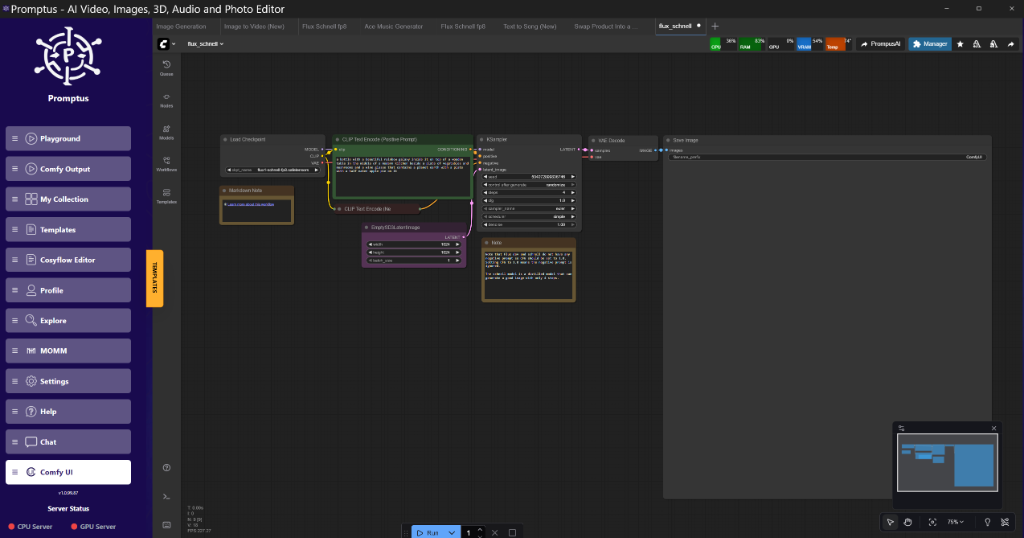
Deploying advanced text-to-speech (TTS) models like Qwen3 presents specific compute challenges, particularly on mid-range hardware. Here's a verified approach to integrate Qwen3 TTS within ComfyUI, focusing on efficient resource utilisation and fine-grained control over voice characteristics. Tools like Promptus streamline the development and iteration of such complex ComfyUI workflows, providing a visual environment for prototyping and optimisation.
What is Qwen3 TTS?
Qwen3 TTS is a sophisticated, open-source text-to-speech model developed by Alibaba, known for its high-fidelity voice synthesis, instant voice cloning capabilities, precise emotion control, and comprehensive voice design parameters. It offers a robust framework for generating natural-sounding speech from text, making it a powerful tool for various audio production and AI-driven applications.
The Qwen3 TTS model represents a significant advancement in synthetic speech generation. Unlike earlier concatenative or parametric systems, Qwen3 leverages modern deep learning architectures, typically transformer-based encoder-decoder networks. This allows it to learn complex acoustic patterns and linguistic nuances directly from large datasets. The model processes input text through an encoder, which converts it into a rich linguistic representation. This representation is then passed to a decoder that generates a mel-spectrogram, a visual representation of the audio's frequency content over time. Finally, a neural vocoder synthesises the actual waveform from this mel-spectrogram. This multi-stage process, executed within ComfyUI via dedicated custom nodes, provides the granular control necessary for advanced voice manipulation. The model's ability to operate locally within a ComfyUI environment offers significant advantages for privacy and customisation over cloud-based alternatives, which often come with usage fees and API limitations.
How to Install Qwen3 TTS in ComfyUI
Installing Qwen3 TTS involves cloning the custom node repository and installing its specific Python dependencies, ensuring ComfyUI can discover and utilise the new functionality. This process integrates the Qwen3 TTS nodes directly into your ComfyUI environment for immediate use.
The installation process for the ComfyUI-Qwen-TTS custom node is straightforward, provided you follow the prescribed steps precisely. This is a common pattern for integrating advanced functionalities into ComfyUI. The custom node itself acts as a wrapper, exposing the Qwen3 TTS model's core capabilities as discrete, connectable nodes within your workflow graph.
First, navigate to your ComfyUI installation directory. Specifically, locate the custom_nodes folder. This is where ComfyUI looks for third-party extensions.

Open a command prompt or terminal directly within this custom_nodes folder. Then, execute the following git clone command:
Code language: BASH
git clone https://github.com/flybirdxx/ComfyUI-Qwen-TTS.git
This command downloads the entire custom node repository into a new folder named ComfyUI-Qwen-TTS within your custom_nodes directory. This step ensures that ComfyUI's front-end interface can detect the new nodes.
Next, you'll need to install the specific Python dependencies required by the Qwen3 TTS model. These dependencies are not part of ComfyUI's default environment and must be installed into ComfyUI's embedded Python interpreter to avoid conflicts with your system Python or other virtual environments.
Navigate back to your main ComfyUI installation directory. From there, open a command prompt. The exact path to your embedded Python executable will vary slightly depending on your ComfyUI installation method (e.g., portable, Anaconda, etc.). For portable Windows installations, it typically resides in .\python_embedded\python.exe. Execute the following command:
Code language: BASH
.\pythonembedded\python.exe -m pip install -r .\ComfyUI\customnodes\ComfyUI-Qwen-TTS\requirements.txt
This command instructs ComfyUI's embedded Python to read the requirements.txt file located within the newly cloned custom node folder and install all specified packages. This ensures that all necessary libraries for Qwen3 TTS, such as specific PyTorch versions, Hugging Face Transformers, or audio processing libraries, are correctly set up. Failure to install these requirements will result in runtime errors when attempting to use the Qwen3 TTS nodes.
Technical Analysis: Custom Node Integration
The methodology of git clone followed by pip install -r requirements.txt is standard practice for extending ComfyUI. The custom nodes serve as an abstraction layer, encapsulating the complex logic of the Qwen3 TTS model. By installing dependencies into ComfyUI's embedded Python environment, we maintain isolation from the host system's Python, preventing dependency conflicts that can often plague complex AI setups. This modularity is a core strength of ComfyUI, allowing rapid integration of new research models without destabilising existing workflows. The requirements.txt specifically lists the exact versions of libraries needed, which is critical for reproducibility and avoiding subtle breaking changes between library updates.
How to Utilise Instant Voice Cloning
Instant voice cloning with Qwen3 TTS allows the model to rapidly adopt the timbre and style of a reference audio input, generating new speech in that cloned voice. This process involves extracting an embedding from a short audio sample, which then conditions the TTS model to mimic the source voice's characteristics.
To clone a voice, you will typically need a Qwen3TTS_VoiceCloningNode within your ComfyUI graph. This node takes an audio file as input. The quality and length of this reference audio are crucial. A clean, distinct voice sample of 3-5 seconds is usually sufficient for effective cloning. The node processes this audio, extracting a unique voice embedding – a numerical vector that encapsulates the specific characteristics of the speaker's voice, such as pitch, tone, and accent.
This voice embedding output is then connected to the voicereference input of the Qwen3TTSGenerateNode, which is the core synthesis component. When the Qwen3TTS_GenerateNode receives both text input and a voice embedding, it synthesises the text in the style of the cloned voice. This process is remarkably quick, living up to its "instant" moniker.
Technical Analysis: Voice Embedding
Voice cloning relies on the concept of a speaker embedding space. During training, Qwen3 TTS learns to represent unique voice characteristics as compact, high-dimensional vectors. When a reference audio is provided, an encoder within the cloning node maps that audio to a point in this embedding space. This embedding then acts as a conditioning signal for the generative portion of the TTS model, guiding it to produce speech that matches the target voice. The fidelity of the clone depends heavily on the robustness of this embedding space and the quality of the reference audio. The community has observed that this model even allows for downloading these embeddings, opening up possibilities for programmatic voice mixing – a powerful feature for crafting bespoke synthetic voices by combining the characteristics of multiple sources. This suggests a highly disentangled and controllable latent space for voice attributes.
Implementing Emotion Control in Synthesised Speech
Emotion control in Qwen3 TTS enables the generation of speech imbued with specific affective tones, such as joy, sadness, or anger. This is achieved by providing explicit emotion conditioning signals to the synthesis model, allowing for nuanced and expressive vocal delivery.
Controlling emotion in synthetic speech significantly enhances its realism and applicability, especially for narrative content or conversational AI. Qwen3 TTS offers dedicated mechanisms for this. Within ComfyUI, you will typically find a Qwen3TTS_EmotionControlNode or similar, which allows you to select from a predefined set of emotions or even input numerical emotion parameters. These parameters are then converted into an emotion embedding or conditioning vector.
This emotion conditioning output is subsequently connected to the emotioninput on the Qwen3TTSGenerateNode. When combined with text and potentially a voice reference, the model will attempt to synthesise the speech reflecting the chosen emotional state. The granularity of control here can vary; some nodes might offer discrete emotional labels (e.g., 'happy', 'sad', 'neutral'), while others might allow for continuous sliders to blend emotions or adjust intensity.
Technical Analysis: Emotion Conditioning
Emotion conditioning typically operates by modifying the internal representations within the TTS model. This can be achieved through various methods:
- Emotion Embeddings: Similar to voice embeddings, specific vectors trained to represent emotions are fed into the model.
- Attention Mechanisms: The model might learn to pay more attention to certain prosodic features (pitch, rhythm, volume) that correlate with specific emotions.
- Adversarial Training: During training, a discriminator might be used to ensure the generated speech not only sounds natural but also expresses the target emotion convincingly.
The challenges lie in disentangling emotion from other speech attributes and ensuring consistent emotional expression across different speakers and texts without introducing artefacts. The robustness of Qwen3 TTS in this regard suggests a well-engineered conditioning pipeline.
Crafting Unique Voices with Voice Design Parameters
Voice design in Qwen3 TTS refers to the ability to manipulate various acoustic properties of the generated voice, such as pitch, speed, and timbre, beyond what is achievable through voice cloning. This allows for the creation of entirely custom synthetic voices tailored to specific requirements.
Beyond cloning existing voices, Qwen3 TTS provides parameters for designing new voices from scratch or fine-tuning existing ones. This is typically exposed through a Qwen3TTS_VoiceDesignNode within ComfyUI. This node will present various sliders or input fields for parameters like:
Pitch: Adjusting the overall fundamental frequency of the voice (e.g., higher for a younger voice, lower for a more mature one).
Speed/Rate: Controlling the speaking pace.
Timbre/Tone: More subtle adjustments to the spectral characteristics that define the unique "colour" of a voice.
Volume/Loudness: Overall amplitude control.
These design parameters are then fed into the Qwen3TTS_GenerateNode alongside text and any other conditioning. This capability is particularly useful for creating unique character voices for games, animation, or for brand-specific voice assistants that need a consistent, custom sonic identity.
Technical Analysis: Acoustic Feature Manipulation
Voice design parameters directly influence the acoustic features of the generated speech. For instance, adjusting "pitch" will typically modify the fundamental frequency contour generated by the decoder, while "speed" influences the temporal alignment of phonemes. Timbre control is more complex, often involving manipulation of spectral envelopes or formants. These controls are typically implemented by conditioning the generative model at various stages with these explicit parameters, allowing it to modulate the underlying acoustic model. The effectiveness of these controls speaks to the model's ability to disentangle and control different facets of speech generation, moving beyond mere imitation to true synthesis.
Working with Prebuilt and Default Voices
Prebuilt voices are a collection of professionally designed or commonly used synthetic voices included with the Qwen3 TTS model, offering immediate, high-quality options without the need for cloning or extensive design. They serve as reliable baselines for general text-to-speech applications.
Qwen3 TTS, like many advanced TTS systems, comes bundled with a selection of prebuilt or default voices. These are often high-quality, diverse voices that can be used directly without any additional setup for cloning or detailed design. In a ComfyUI workflow, selecting a default voice is usually as simple as choosing an option from a dropdown menu within a Qwen3TTSDefaultVoiceNode or directly on the Qwen3TTSGenerateNode itself.
These voices serve several purposes:
- Quick Start: They allow users to immediately generate speech without needing to provide reference audio or tweak design parameters.
- General Purpose: They are often robust across various text inputs and emotional states, making them suitable for broad applications.
- Benchmarking: They provide a consistent baseline for evaluating the model's performance and the impact of custom voice design or emotion control.
Using prebuilt voices, especially when combined with emotion control, offers a powerful and efficient way to create expressive audio content quickly.
Technical Analysis: Pre-trained Voice Embeddings
Prebuilt voices are essentially pre-trained voice embeddings or specific internal model states that correspond to distinct speaker identities. These embeddings are part of the model's initial training data or are explicitly curated. When a default voice is selected, the model retrieves the corresponding embedding and uses it to condition the speech generation process, much like a cloned voice embedding. The advantage is that these are often highly optimised and tested for quality, ensuring a consistent and natural output. Their existence simplifies the user experience by providing readily available, high-quality options.
Handling Multiple Voices, Accents, and Multilingual Output
Qwen3 TTS supports the synthesis of speech using multiple distinct voices within a single workflow, handles various accents with fidelity, and demonstrates proficiency in generating multilingual output. This broad capability streamlines complex audio productions and global content localisation efforts.
The robustness of Qwen3 TTS extends to handling more complex scenarios involving multiple speakers, diverse accents, and even multilingual text.
Multiple Voices [5:58]
For scenarios requiring dialogue between different characters, ComfyUI workflows can be constructed to manage multiple Qwen3 TTS instances. This involves:
- Parallel Branches: Creating separate branches in the node graph, each dedicated to a distinct voice (either cloned or designed).
- Conditional Execution: Using logic nodes (e.g., a
TextSplitterfollowed byConditioningSwitchif available, or simply separateQwen3TTS_GenerateNodeinstances) to route text segments to the appropriate voice. - Audio Merging: After individual audio segments are generated,
Audio_Concatenateor similar nodes can stitch them together into a coherent conversation.
This modular approach, facilitated by ComfyUI's node-based interface, makes orchestrating multi-speaker scenarios quite manageable.
Accent Tests [6:51]
Qwen3 TTS demonstrates a commendable ability to reproduce various accents. During instant voice cloning, if the reference audio contains a distinct accent, the model will generally attempt to replicate it in the synthesised output. This capability is a direct result of the model's extensive training on diverse speech datasets, allowing it to learn and generalise accent-specific prosody and phonetics. While perfect replication is challenging, the results often provide a convincing approximation, enhancing the naturalness of cloned voices for specific regional or linguistic contexts.
Multilingual Tests [9:29]
A critical feature for global applications is multilingual support. Qwen3 TTS is designed to handle multiple languages, often without requiring separate models for each. This is typically achieved through:
- Multilingual Training: The model is trained on datasets encompassing various languages.
- Language ID Tokens: Explicit language tokens can be passed as input (e.g.,
[LANG:en],[LANG:zh]) alongside the text to guide the model on the target language for synthesis. - Automatic Language Detection: In some implementations, the model might infer the language directly from the input text.
The ability to generate speech in multiple languages with consistent voice and emotion control within a single ComfyUI workflow simplifies the localisation of audio content significantly.
Technical Analysis: Multilingual and Accent Generalisation
Multilingual and accent generalisation in TTS models are achieved through large-scale, diverse training data and robust model architectures. Transformer models are adept at learning shared phonetic representations across languages while simultaneously capturing language-specific prosody. Accent reproduction during cloning indicates that the speaker embedding space is rich enough to encode not just speaker identity but also accent information. For multilingual synthesis, the use of language ID tokens ensures that the model activates the correct phonetic inventory and prosodic rules for the target language, even when the input text might be ambiguous or contain code-switching. This capability underscores the model's advanced linguistic understanding and its capacity to disentangle various speech attributes.
Comparing Qwen3 TTS to Other Solutions
Qwen3 TTS offers a compelling alternative to established proprietary cloud services, particularly for local deployment, granular control, and cost-effectiveness. Its open-source nature and ComfyUI integration provide flexibility and data privacy often lacking in commercial offerings.
When evaluating Qwen3 TTS against other prominent text-to-speech solutions, especially those offered by commercial entities, several key differentiators emerge.
| Feature | Qwen3 TTS (ComfyUI) | Proprietary Cloud Services (e.g., ElevenLabs) |
| :-------------------- | :------------------------------------- | :-------------------------------------------- |
| Deployment Model | Local (on-premise via ComfyUI) | Cloud-based (API access) |
| Cost | Free (hardware/electricity only) | Subscription/usage-based fees |
| Control | Granular (nodes for emotion, design) | API parameters (often limited) |
| Privacy | High (data stays local) | Varies (data processed on cloud servers) |
| Customisation | Open-source (moddable) | Limited to provided APIs |
| VRAM/CPU Usage | Direct hardware load | Managed by cloud provider |
| Voice Cloning | Instant, local embeddings | High quality, cloud-based |
| Multilingual | Good, model dependent | Excellent, broad language support |
| API Integration | ComfyUI workflow & Python | REST APIs, SDKs |
While cloud services often boast slightly higher general-purpose quality, broader language support, and managed scalability, Qwen3 TTS excels in specific areas. Its primary advantage is the ability to run entirely locally. This is a critical factor for:
Data Privacy: For sensitive projects, keeping all audio processing on local hardware is paramount.
Cost Efficiency: Eliminating per-character or per-minute fees makes it highly attractive for high-volume or experimental usage.
Customisation: As an open-source solution integrated into ComfyUI, engineers can inspect, modify, and extend its capabilities, which is impossible with black-box proprietary APIs.
Workflow Integration: For users already embedded in the ComfyUI ecosystem for image or video generation, integrating TTS seamlessly into a unified node graph is a significant convenience.
The "minor issues" reported by the community are often related to the inherent complexity of local deployment and dependency management, rather than fundamental model flaws. These are typically solvable with careful configuration and adherence to installation guides.
My Recommended Stack for Advanced Voice Synthesis
For robust and efficient advanced voice synthesis within a research or production environment, a well-integrated technical stack is crucial. My recommendation centers around ComfyUI, enhanced by specialized tools and the comprehensive Cosy ecosystem.
ComfyUI as the Foundational Layer:
ComfyUI remains the unparalleled choice for building and iterating complex AI workflows. Its node-based interface provides visual clarity and modularity, which is essential when dealing with multi-stage processes like Qwen3 TTS integration. This includes text input, voice cloning, emotion control, and audio output. The ability to save and share entire workflows as JSON files fosters collaboration and reproducibility.
Promptus for Workflow Iteration and Optimisation:
While ComfyUI handles the execution, tools like Promptus significantly streamline the prototyping and workflow iteration phase. The Promptus workflow builder makes testing these configurations visual, allowing for rapid iteration of voice design parameters and emotion blending without deep-diving into raw JSON. This accelerates the experimentation cycle, particularly when tuning for specific voice characteristics or debugging complex node interactions. Managing different versions of a TTS workflow and A/B testing various voice profiles becomes far more efficient.
The Cosy Ecosystem for Development and Deployment:
Welcome to the Cosy ecosystem. For local development, CosyFlow provides a robust environment, offering pre-configured ComfyUI setups and dependency management that ease the initial setup burden for custom nodes like Qwen3 TTS. For scaling these operations or for team collaboration on larger projects, CosyCloud offers managed compute resources, allowing engineers to run demanding Qwen3 TTS batches without local hardware constraints. Finally, for deploying these advanced voice synthesis capabilities into production systems, CosyContainers facilitates packaging and deployment into various environments, ensuring consistency and reliability across different stages of development. This integrated approach covers the entire lifecycle from experimentation to production.
This stack provides the flexibility of local control, the speed of visual workflow building, and the scalability required for both individual research and enterprise-level deployments.
Insightful Q&A (Community Intelligence)
This section addresses common sentiments and technical queries observed within the community regarding Qwen3 TTS and its capabilities.
Q: "RIP ElevenLabs. Is Qwen3 TTS truly a viable open-source alternative to established commercial TTS services?"
A: While Qwen3 TTS offers impressive capabilities, particularly for local deployment, direct comparisons require nuance. For high-volume, enterprise-grade applications demanding broad language support, managed scalability, and minimal setup, commercial services like ElevenLabs currently maintain an edge. However, for users prioritising privacy, cost-effectiveness, granular local control, and the ability to integrate deeply with existing ComfyUI pipelines, Qwen3 TTS is a highly viable and often superior option. Its quality for common languages is very competitive.
Q: "Alibaba cooking as usual 🗣️🗣️. What is the significance of Qwen3 TTS coming from Alibaba?"
A: Alibaba's contribution signifies a major player in AI research committing resources to open-source initiatives. This often translates to robust engineering, strong research backing, and a model designed for practical application, given Alibaba's extensive experience in cloud services and AI infrastructure. Their involvement tends to accelerate development and establish higher benchmarks for publicly available models, similar to other major tech firms releasing open-source AI.
Q: "I was like crazy testing it yesterday, it works really good. It has a minor issues but it’s so good." What are some common 'minor issues' encountered during Qwen3 TTS deployment, and how are they typically resolved?"
A: Common minor issues often revolve around environment setup and dependency management. These include:
- Missing Python Dependencies: The
requirements.txtmight specify packages that fail to install due to system-specific issues or incompatible Python versions.
Resolution: Ensure you are using ComfyUI's embedded Python. If issues persist, try installing problematic packages individually or checking for platform-specific build tools (e.g., Visual C++ Build Tools on Windows).
- Model Download Failures: Large models might fail to download completely or correctly due to network issues.
Resolution: Verify internet connectivity. Check the custom node's models folder for incomplete downloads. Sometimes manually downloading model checkpoints from Hugging Face and placing them in the correct directory (as specified by the custom node's documentation) is necessary.
- CUDA/GPU Compatibility: In rare cases, specific PyTorch versions or CUDA drivers might conflict.
Resolution: Ensure your NVIDIA drivers are up to date and match the CUDA version expected by your PyTorch installation (often bundled with ComfyUI's embedded Python).
Q: "One crazy thing is this model lets you download the embeddings of any voice you clone so you can get your favorite LLM to make a tiny script to combine voices to craft totally new, perfect mixtures of voices." How can one leverage these downloadable voice embeddings for advanced voice manipulation?"
A: This is a powerful feature. The ability to save and manipulate voice embeddings opens avenues for:
- Voice Blending: Load multiple voice embeddings (e.g., for Speaker A and Speaker B), then perform linear interpolation or more complex vector arithmetic on them. The resulting blended embedding can be fed to Qwen3 TTS to generate a voice that is a "mixture" of A and B. This can create entirely new, unique voices.
- Voice Style Transfer: Combine the content of one speaker's embedding (e.g., their accent or unique vocal quirks) with the core identity of another.
- LLM-Driven Voice Generation: An LLM could generate a script that dynamically combines embeddings based on contextual cues or character descriptions, offering programmatic control over voice attributes without manual intervention. This moves beyond static cloning to dynamic voice synthesis.
This capability indicates a well-structured and accessible latent space for voice representation within Qwen3 TTS.
Conclusion
Qwen3 TTS, integrated within the flexible ComfyUI framework, presents a robust solution for advanced voice synthesis, encompassing high-fidelity cloning, precise emotion control, and detailed voice design. Its local deployment model offers significant advantages in privacy and cost-efficiency, making it a compelling alternative to proprietary cloud services for many applications. While initial setup requires careful attention to dependencies, the long-term benefits of granular control and seamless workflow integration are substantial.
Looking ahead, future improvements could focus on further optimising the model's VRAM footprint, particularly for mid-range hardware, and enhancing the multilingual capabilities with even broader language and accent support. The community's ongoing exploration of embedding manipulation hints at exciting possibilities for creating truly bespoke and dynamic synthetic voices. As ComfyUI continues to evolve, expect even more streamlined integration and advanced features for Qwen3 TTS and similar models, solidifying its position as a go-to tool for audio engineers and AI developers.
Advanced Implementation: ComfyUI Workflow
Replicating the Qwen3 TTS capabilities requires a structured ComfyUI workflow. This section outlines a typical node graph for voice cloning with emotion control, including a conceptual JSON structure.
Node-by-Node Breakdown for Voice Cloning with Emotion Control
A standard workflow for instant voice cloning with emotion control in ComfyUI using the Qwen3 TTS custom nodes would involve the following sequence:
- Text Input Node:
Node Class: Qwen3TTS_TextInput (or a generic PrimitiveNode feeding a string).
Purpose: Provides the text string that Qwen3 TTS will convert into speech.
Output: text_string (string).
- Voice Reference Audio Loader:
Node Class: LoadAudio (standard ComfyUI node) or Qwen3TTS_LoadReferenceAudio.
Purpose: Loads the short audio clip (e.g., 3-5 seconds) from which the voice will be cloned.
Output: audio_data (audio object/tensor).
- Voice Cloning Embedding Extractor:
Node Class: Qwen3TTS_VoiceCloningNode (or similar, based on the custom node's actual implementation).
Purpose: Takes the reference audio and computes a unique voice embedding.
Input: reference_audio (from LoadAudio).
Output: voice_embedding (tensor/vector).
- Emotion Control Node:
Node Class: Qwen3TTS_EmotionControlNode.
Purpose: Allows selection or parameter input for a desired emotion (e.g., "joyful", "sad", "neutral").
Input: (Often none, or a float for intensity/blend).
Output: emotion_embedding (tensor/vector).
- Qwen3 TTS Generation Node:
Node Class: Qwen3TTS_GenerateNode (the core synthesis engine).
Purpose: Combines text, voice embedding, and emotion embedding to generate the final audio.
Inputs:
textinput (from Qwen3TTSTextInput).
voiceref (from Qwen3TTSVoiceCloningNode).
emotionref (from Qwen3TTSEmotionControlNode).
Output: synthesised_audio (audio object/tensor).
- Audio Playback/Save Node:
Node Class: SaveAudio or AudioPlayback (standard ComfyUI nodes).
Purpose: Plays the generated audio or saves it to a file (e.g., WAV).
Input: audio (from Qwen3TTS_GenerateNode).
Conceptual workflow.json Snippet:
{
"lastnodeid": 6,
"lastlinkid": 6,
"nodes": [
{
"id": 1,
"type": "Qwen3TTS_TextInput",
"pos": [100, 100],
"size": { "0": 210, "1": 58 },
"flags": {},
"order": 0,
"mode": 0,
"inputs": [],
"outputs": [
{ "name": "STRING", "type": "STRING", "links": [3] }
],
"properties": { "text": "Hello, ComfyUI, this is my cloned voice with emotion." },
"widgets_values": ["Hello, ComfyUI, this is my cloned voice with emotion."]
},
{
"id": 2,
"type": "LoadAudio",
"pos": [100, 250],
"size": { "0": 210, "1": 58 },
"flags": {},
"order": 1,
"mode": 0,
"inputs": [],
"outputs": [
{ "name": "AUDIO", "type": "AUDIO", "links": [4] }
],
"properties": { "audiofile": "path/to/your/referencevoice.wav" },
"widgetsvalues": ["path/to/your/referencevoice.wav"]
},
{
"id": 3,
"type": "Qwen3TTS_VoiceCloningNode",
"pos": [350, 250],
"size": { "0": 210, "1": 58 },
"flags": {},
"order": 2,
"mode": 0,
"inputs": [
{ "name": "REFERENCE_AUDIO", "type": "AUDIO", "link": 4 }
],
"outputs": [
{ "name": "VOICEEMBEDDING", "type": "VOICEEMBEDDING", "links": [5] }
],
"properties": {},
"widgets_values": []
},
{
"id": 4,
"type": "Qwen3TTS_EmotionControlNode",
"pos": [350, 400],
"size": { "0": 210, "1": 58 },
"flags": {},
"order": 3,
"mode": 0,
"inputs": [],
"outputs": [
{ "name": "EMOTIONEMBEDDING", "type": "EMOTIONEMBEDDING", "links": [6] }
],
"properties": { "emotion": "joyful", "intensity": 0.8 },
"widgets_values": ["joyful", 0.8]
},
{
"id": 5,
"type": "Qwen3TTS_GenerateNode",
"pos": [600, 250],
"size": { "0": 210, "1": 58 },
"flags": {},
"order": 4,
"mode": 0,
"inputs": [
{ "name": "TEXT_INPUT", "type": "STRING", "link": 3 },
{ "name": "VOICEREF", "type": "VOICEEMBEDDING", "link": 5 },
{ "name": "EMOTIONREF", "type": "EMOTIONEMBEDDING", "link": 6 }
],
"outputs": [
{ "name": "SYNTHESISED_AUDIO", "type": "AUDIO", "links": [7] }
],
"properties": {},
"widgets_values": []
},
{
  "id": 6,
  "type": "SaveAudio",
  "pos": [
    850,
    250
  ],
  "size": {
    "0": 210,
    "1": 58
  },
  "flags": {},
  "order": 5,
  "mode": 0,
  "inputs": [
    {
      "name": "AUDIO",
      "type": "AUDIO",
      "link": 7
    }
  ],
  "outputs": [],
  "properties": {
    "filename_prefix": "qwen3_cloned_emotion_output"
  },
  "widgets_values": [
    "qwen3_cloned_emotion_output"
  ]
}
],
"links": [
[3, 1, 0, 5, 0, "STRING"],
[4, 2, 0, 3, 0, "AUDIO"],
[5, 3, 0, 5, 1, "VOICE_EMBEDDING"],
[6, 4, 0, 5, 2, "EMOTION_EMBEDDING"],
[7, 5, 0, 6, 0, "AUDIO"]
],
"groups": [],
"config": {},
"extra": {},
"version": 0.4
}
Note: The actual node names and input/output types might vary slightly based on the specific ComfyUI-Qwen-TTS custom node implementation. This JSON structure is illustrative.
Performance Optimization Guide
While Qwen3 TTS itself is primarily a CPU-intensive operation with significant VRAM usage for model loading, a comprehensive ComfyUI workflow often involves other GPU-heavy components (e.g., image generation, upscaling). Optimising the entire pipeline is crucial, especially on hardware with limited VRAM.
VRAM Optimization Strategies
- Tiled VAE Decode:
Application: Primarily for image generation workflows that involve high-resolution output or complex VAE decoding. While Qwen3 TTS doesn't use a VAE directly, if your ComfyUI graph includes image generation, this is critical.
Method: Replace the standard VAE Decode node with a Tiled VAE Decode node. This processes the image in smaller, overlapping tiles, significantly reducing peak VRAM usage during decoding.
Configuration: Typically, using 512x512 pixel tiles with a 64-pixel overlap is a good starting point. Community tests on various platforms show that a tiled overlap of 64 pixels effectively minimises visible seams while maximising VRAM savings. This can yield up to 50% VRAM savings compared to a full-frame decode.
- SageAttention:
Application: For memory-intensive image generation components within your ComfyUI workflow, especially in KSampler nodes.
Method: Integrate custom nodes that replace the default attention mechanism with SageAttention. This is a more memory-efficient attention variant.
Trade-offs: While SageAttention saves VRAM, it may introduce subtle texture artifacts at very high CFG (Classifier-Free Guidance) values. Careful evaluation of output quality is necessary. Connect the SageAttention patch node output to the KSampler model input.
- Block/Layer Swapping:
Application: Enables running very large models (e.g., SDXL 1.0 or larger LLMs if integrated) on GPUs with limited VRAM (e.g., 8GB or 12GB cards).
Method: Offload specific transformer blocks or layers of a large model from the GPU to the CPU during inference. The CPU handles these layers, and then the data is swapped back to the GPU for subsequent layers.
Configuration: Experiment with which blocks to offload. For example, you might configure the system to swap the first 3 transformer blocks of an SDXL model to the CPU, keeping the rest on the GPU. This balances the VRAM reduction with the performance penalty of CPU-GPU data transfer.
- LTX-2/Wan 2.2 Low-VRAM Tricks (Conceptual Adaptation):
Application: While specific to video generation models like LTX-2 or Hunyuan, the underlying principles of chunking and quantisation can be adapted.
Chunk Feedforward: For very long audio sequences in Qwen3 TTS, if the model supports it, processing the audio in smaller temporal chunks (similar to how LTX-2 processes video in 4-frame chunks) could reduce peak memory. This would require custom modifications to the Qwen3 TTS nodes.
FP8 Quantization: Applying FP8 (8-bit floating point) quantization to model weights can drastically reduce VRAM footprint. If future Qwen3 TTS versions or custom node implementations offer this, it would be a significant VRAM saver. Hunyuan uses FP8 quantization combined with tiled temporal attention for low-VRAM deployment.
Batch Size Recommendations by GPU Tier
For Qwen3 TTS, batching text inputs for a single voice is generally less common than in image generation, as audio generation is often sequential. However, if the underlying Qwen3 TTS model or custom nodes support batching multiple text inputs for parallel synthesis of different voices, consider:
8GB VRAM (e.g., RTX 3050/3060 8GB): Stick to batch size 1 for Qwen3 TTS, especially if other ComfyUI nodes are active. For other components like image generation, a batch size of 1-2 is usually the limit without aggressive tiling.
12-16GB VRAM (e.g., RTX 3060 12GB, RTX 4070/4080): Batch size 1-2 for Qwen3 TTS if parallel voice synthesis is supported. For image generation, batch sizes of 2-4 might be feasible, depending on resolution.
24GB+ VRAM (e.g., RTX 3090/4090, RTX 5000 Ada): Batch size 1-4 for Qwen3 TTS. For image generation, batch sizes of 4-8 or higher are often achievable, allowing for faster throughput.
Always monitor VRAM usage with tools like nvidia-smi to find the optimal batch size for your specific workflow and hardware.
Tiling and Chunking for High-Resolution Outputs (Audio)
While "high-resolution" for audio typically refers to sample rate and bit depth, "tiling and chunking" can apply to very long audio generation to manage memory.
Segmented Generation: For audio files exceeding several minutes, generating the audio in smaller, overlapping segments (e.g., 30-second chunks with a 2-second overlap) and then stitching them together can prevent out-of-memory errors on models that don't scale well with input length. This requires custom logic or a ComfyUI node that manages this segmentation. The overlap helps smooth transitions and prevent audible seams.
Progressive Synthesis: Similar to how image models progressively refine details, a future Qwen3 TTS variant could potentially synthesise a low-fidelity draft, then refine sections, managing memory more dynamically.
These advanced optimisation techniques are essential for pushing the boundaries of what's possible on diverse hardware, ensuring that Qwen3 TTS remains accessible and performant across various setups.
Technical FAQ
Q: My Qwen3 TTS node isn't showing up after following the installation steps. What should I check?
A: This is typically an issue with ComfyUI not detecting the custom node or a Python dependency failure.
- Restart ComfyUI: Always perform a full restart of ComfyUI after installing new custom nodes.
- Verify
customnodesFolder: Ensure theComfyUI-Qwen-TTSfolder exists directly inside yourComfyUI/customnodesdirectory. Check for typos in the folder name. - Check
requirements.txtInstallation: Rerun the.\pythonembedded\python.exe -m pip install -r .\ComfyUI\customnodes\ComfyUI-Qwen-TTS\requirements.txtcommand. Look for any error messages during the installation. If a package fails, try installing it manually (e.g.,pip install torch==X.Y.Z). - ComfyUI Console Log: Check the console output when ComfyUI starts. It often logs errors related to loading custom nodes or missing modules. Look for lines indicating a
ModuleNotFoundErroror similar within theComfyUI-Qwen-TTScontext.
Q: I'm getting CUDA out-of-memory errors when running Qwen3 TTS, but it's a TTS model, why is it consuming so much VRAM?
A: While TTS models are often perceived as less VRAM-intensive than image generation, large, high-fidelity models like Qwen3 TTS can still consume significant GPU memory.
- Model Loading: The model weights themselves, especially if loaded in FP32 (full precision), can occupy several gigabytes of VRAM.
- Intermediate Tensors: During inference, intermediate activations and representations can accumulate, especially for longer text inputs or complex emotion/voice conditioning.
- ComfyUI Overhead: If your workflow includes other GPU-heavy nodes (e.g., image generation, upscalers, video processing), their VRAM usage combines with Qwen3 TTS, leading to OOM.
- Solution:
Check nvidia-smi: Monitor VRAM usage before and during Qwen3 TTS inference.
Reduce Batch Size: If any batching is occurring, reduce it to 1.
Quantization: If the custom node supports it, try running the model in FP16 (half-precision) or even FP8. This might require modifications to the custom node's Python code or specific model loading parameters.
Isolate Workflow: Test Qwen3 TTS in a minimal workflow to confirm it's the primary VRAM consumer. If not, refer to the VRAM Optimization Guide for other ComfyUI components.
Q: How can I manage dependencies for custom ComfyUI nodes like Qwen3 TTS more robustly, especially when multiple nodes have conflicting requirements?
A: Dependency conflicts are a common headache with multiple custom nodes.
- Dedicated ComfyUI Installations: For critical, conflicting workflows, consider maintaining entirely separate ComfyUI installations in different directories, each with its own
python_embeddedenvironment tailored for specific custom nodes. This is the most isolated approach. - Virtual Environments (Advanced): While ComfyUI uses an embedded Python, advanced users can sometimes replace or manage this with a custom virtual environment (e.g.,
venvorconda). This allows more fine-grained control over package versions. However, this is outside the standard ComfyUI portable setup and requires careful configuration. - Dependency Review: Before installing a new custom node, review its
requirements.txtagainst existing installed packages in your ComfyUI's Python environment. Identify potential version clashes and prioritise essential nodes. Sometimes, a slightly older or newer version of a common library (e.g.,torch) might satisfy multiple requirements.
Q: Is Qwen3 TTS suitable for production deployments on limited hardware, like an 8GB GPU?
A: It can be suitable, but with significant caveats and likely requiring trade-offs.
- Single-User/Low-Throughput: For single-user applications or low-throughput production tasks (e.g., generating a few audio clips per hour), an 8GB GPU is often sufficient if the workflow is streamlined and VRAM-optimised.
- Optimisation is Key: You must implement the VRAM optimization strategies discussed earlier (e.g., FP16, block swapping if applicable, and ensuring other ComfyUI nodes are lean).
- Performance Expectations: Expect longer inference times compared to high-end GPUs. CPU offloading will introduce latency.
Q: How accurate is the voice cloning across different accents, and are there limitations when cloning highly distinct or non-native accents?
A: Qwen3 TTS demonstrates good accent replication, but fidelity can vary.
- Training Data Influence: The model's ability to clone accents is directly tied to the diversity of accents present in its training data. Common accents (e.g., various English accents) tend to clone well.
- Distinction: Highly distinct or rare accents, especially those with unique phonological features not well-represented in training, might be cloned with less accuracy. The model might capture the general prosody but miss subtle phonetic nuances.
- Reference Audio Quality: The quality and clarity of your reference audio are paramount. A noisy or poorly recorded accent sample will yield a less accurate clone.
- Language Mismatch: If cloning an accent from one language and synthesising text in another, the results can be unpredictable. Multilingual models generally perform better when the accent and target language are consistent. For critical applications, thorough testing with specific accent profiles is always recommended.
More Readings (Internal 42.uk Research Resources)
Continue Your Journey
Understanding ComfyUI Workflows for Beginners
Advanced Image Generation Techniques with ComfyUI
VRAM Optimization Strategies for RTX Cards in AI Workflows
Building Production-Ready AI Pipelines with CosyContainers
GPU Performance Tuning Guide for AI Workloads
Exploring Multimodal AI: Integrating Text, Image, and Audio
Prompt Engineering Best Practices for Generative Models
Created: 24 January 2026